Do you know How To create email account in cPanel ? Let do that with very easy steps .
You need to login cPanel . If you have no cPanel login details you can find login details from your client area .
- Login to cPanel hosting
- Search “Mail ” on cPanel Search bar , Now you can find many email options . now you need to click on Email accounts.
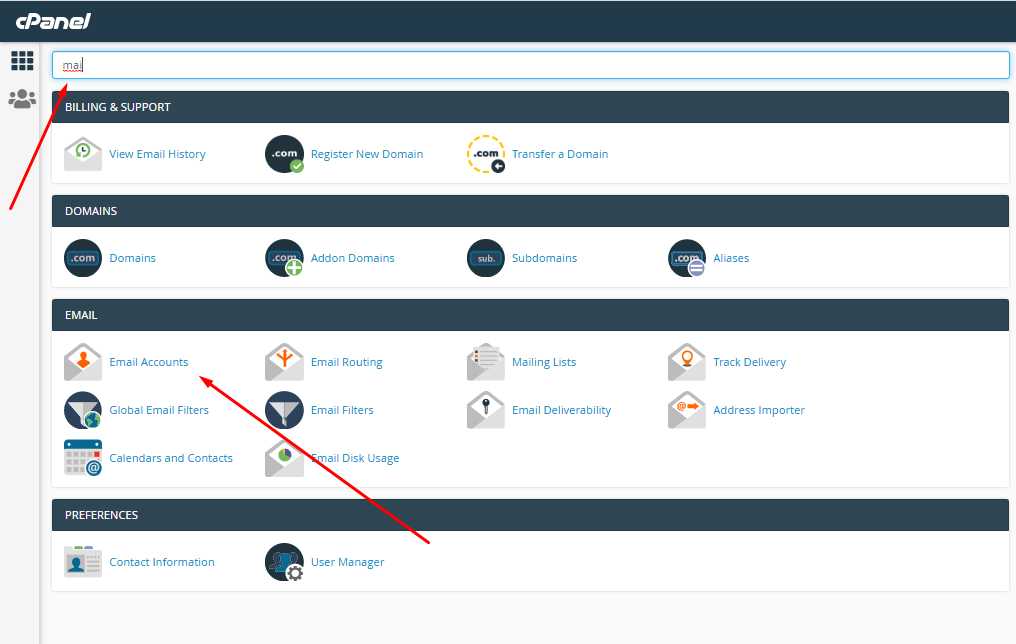
3. Click on Email account , It will come a next page of list of email address and option to create new email account with a form. You need to fill your email , password and mail box size and need to click on create button
You need to click on Add new mailbox . as like below screenshot .
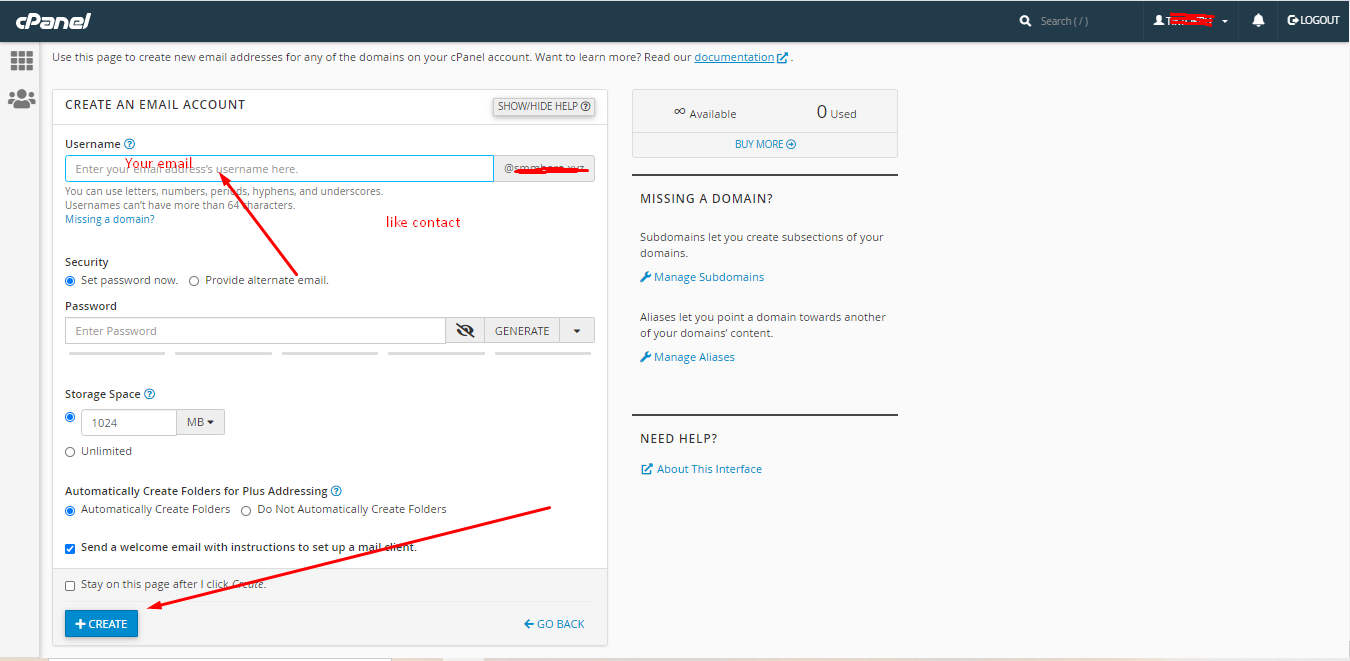
Note: You can create number of email that you have with your plan . for more email account you can upgrade your plan anytime
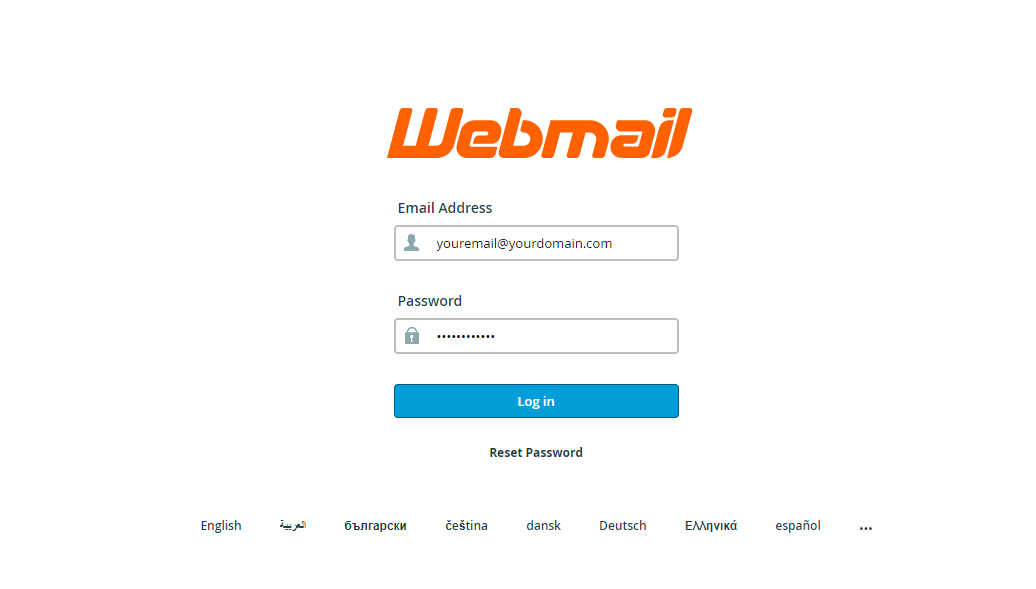
Now you can login your email via Webmail . Now you can just type webmail after your website ( domain name ) . So it will ask you to login webmail .
Just Like this https://yourdomain.com/webmail
It will come like below screenshot
Now you know How To create email account in cPanel . So if you need info how to create backup of WordPress to google drive or more , You can checkout our tutorial pages .