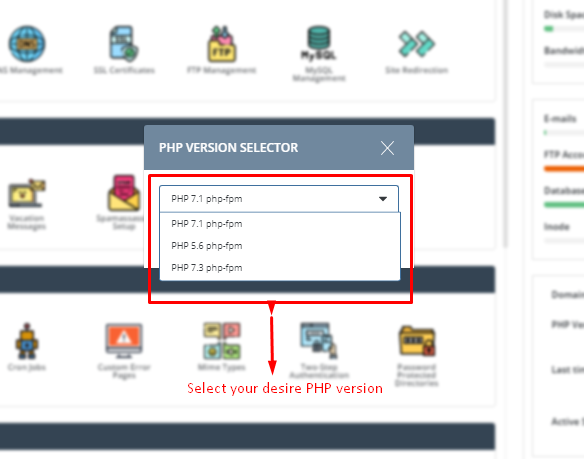
To Change PHP version in control panel
Step – 1. At first log in to your Direct Admin panel.
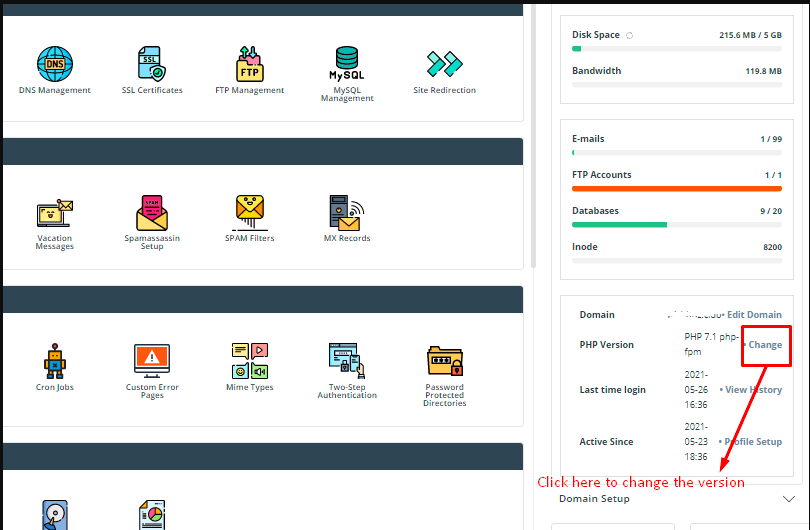
Step – 2. Now you have to look Right side at the Bottom PHP Version Click on the Change option. Here is the screenshot.
Step -3. Then you can show a popup box, select your desire PHP Version and Click on the Save button.